Table of Contents
VpnStuff.net — In the previous post we discussed about using v2ray on Android. This time we will share How to Use V2Ray on Windows.
V2ray is a vpn that uses the vmess type protocol. V2ray has the same main function as other types of VPN, namely changing the IP address and opening sites that cannot be opened.
However, there are still differences. The most noticeable difference is the speed issue on v2ray. V2ray does have high speeds, especially for downloading or streaming.
How to Use V2Ray on Windows
To apply this tutorial you first need to have the v2ray app for windows PC as well as a v2ray account.
Download v2ray PC
Download the v2ray PC application via the link below:
-
- [https://bit.ly/372UV34]
Next you create a v2ray account.
V2Ray Account Free
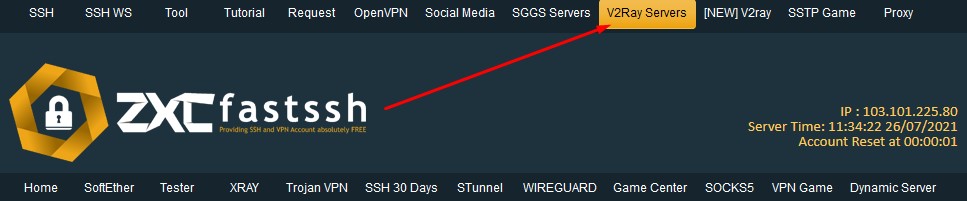
You can create a v2ray account on the fastssh.com site then select the v2ray menu.
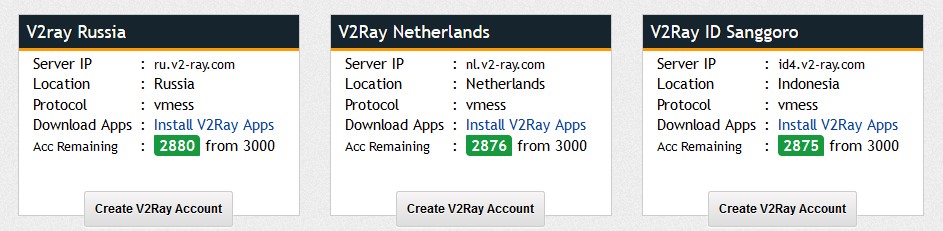
Select the country of the v2ray server you want.
Enter the username and SNI. For the SNI form, you can use an active SNI.

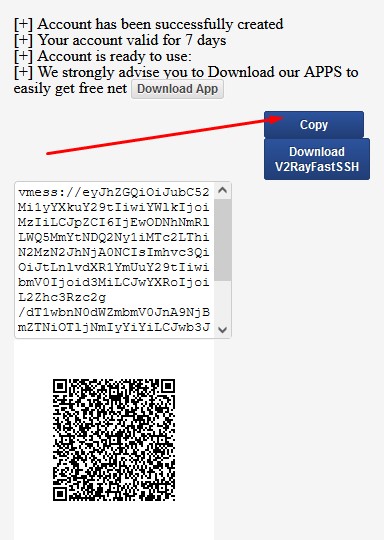
Wait a few seconds then the v2ray account you created will appear and you just copy it.
Setting V2Ray App
The v2ray account creation has been completed, then you import the v2ray account into the application you downloaded above.
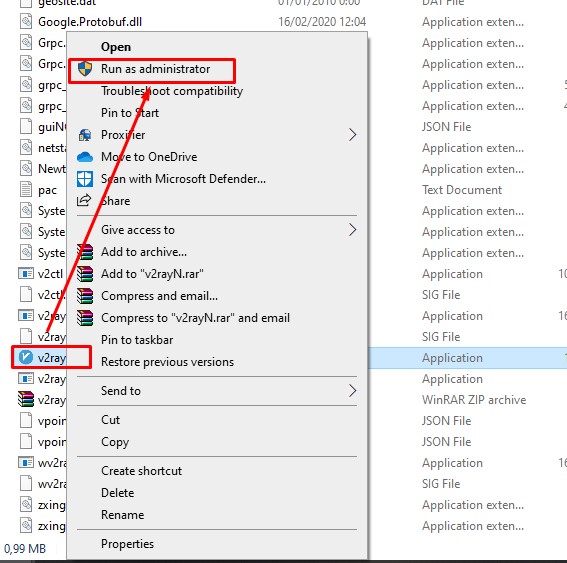
Open the v2ray pc application by right-clicking run as admin.
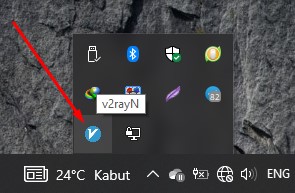
v2ray application will appear on the icon near the battery. Just Double click.
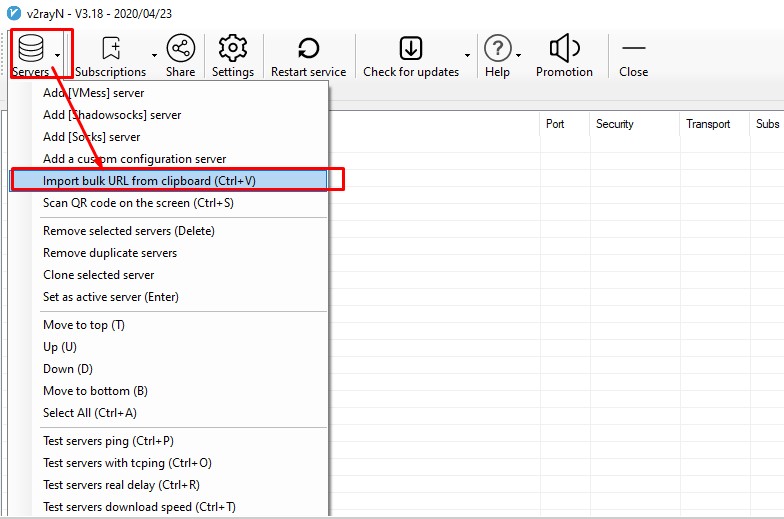
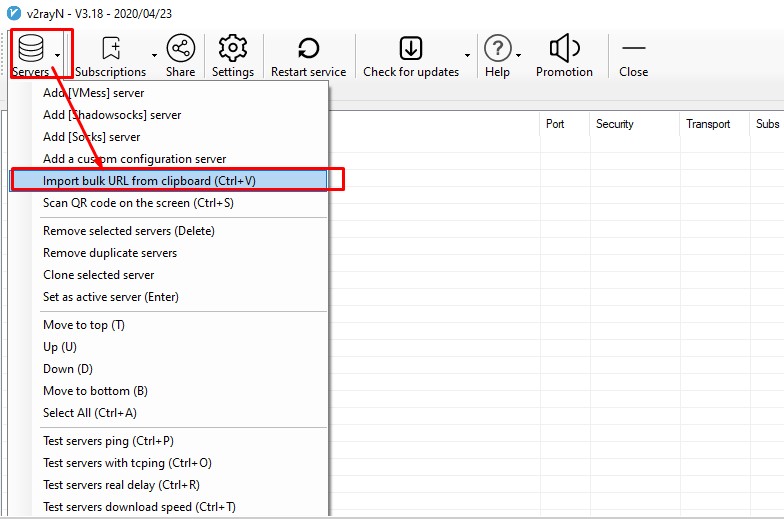
Import bulk URL from clipboard or CTRL + V.
The v2ray account has been successfully imported then double click.
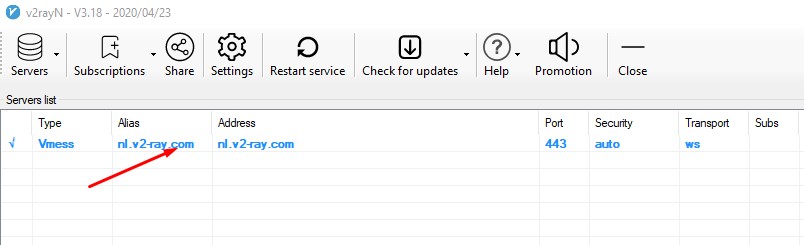
Select True and OK.
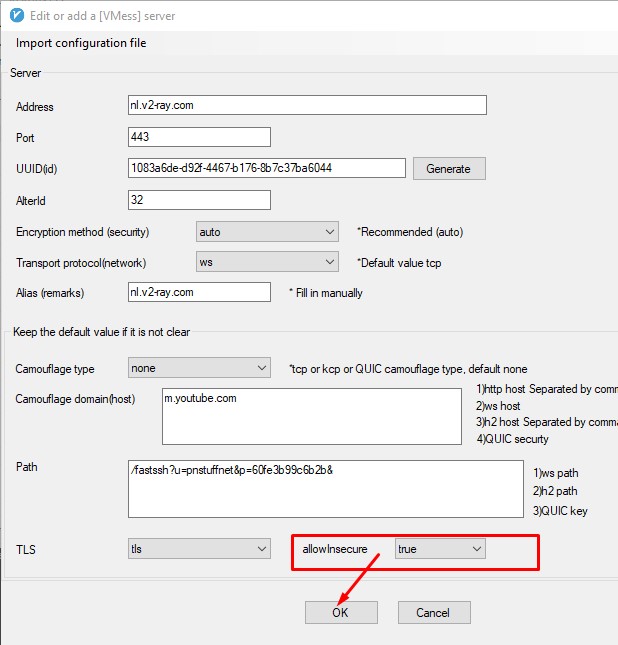
Follow the arrows and red lines in the image below to connect to v2ray.

Done.