Table of Contents
VpnStuff.net — Softether VPN has the advantage of UDP support so you can use it to play online games on a PC. In this article, the admin will share How to Use SoftEther on Windows.
If you use a VPN for the purpose of playing games or video calls, softether can be one of the main choices, especially for use on a Windows PC.
How to Use SoftEther on Windows
To use it you must have a softether VPN account first. You can make it on the websites of Softether service providers. For example, the admin will create Softether on the VPNGAME.com site.
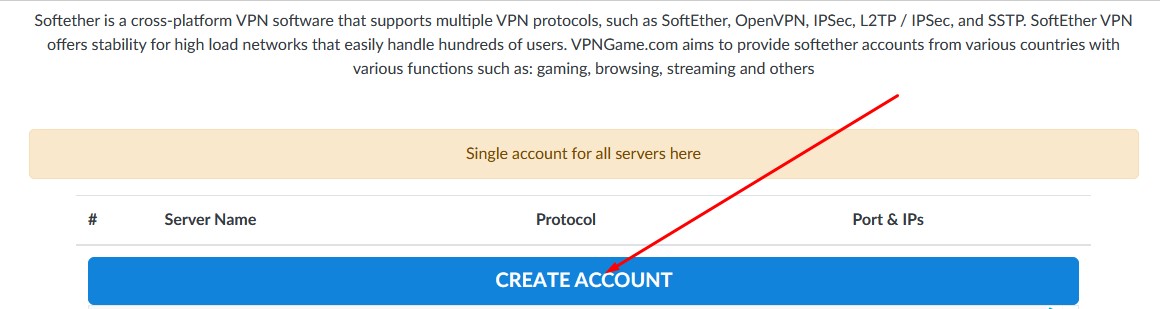
On the HOME menu, just click CREATE ACCOUNT.
Enter the username and password up to you. Click Im not A robot.
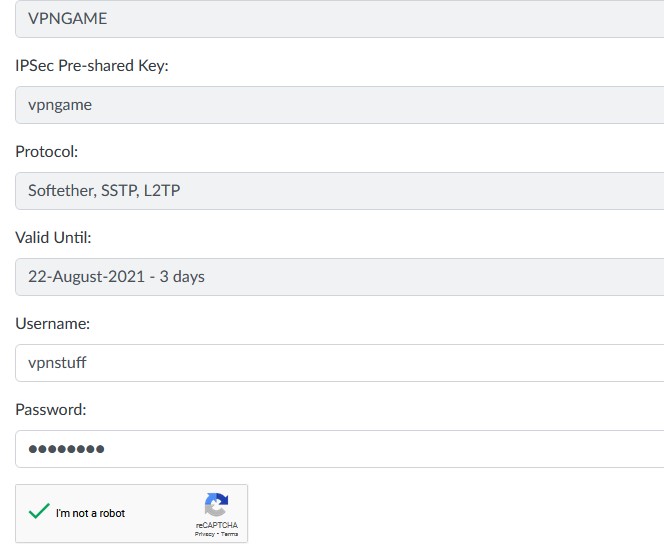
Click Create.

Wait a few seconds then you will see the softether account that you have created.
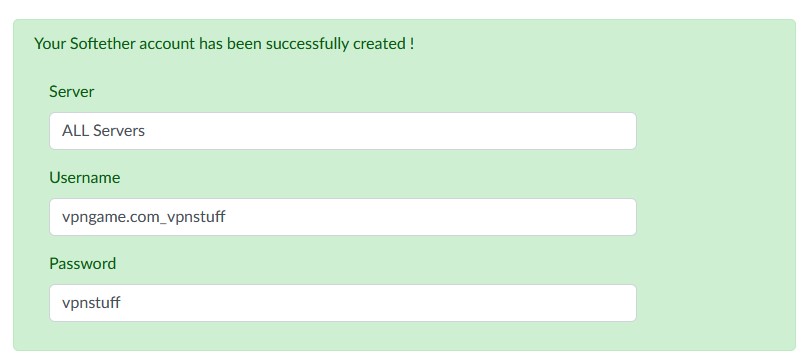
The account that you have created you can later use to login to all softether servers on the VPNGAME site.
Return to the home menu on the VPNGAME.com site then you can choose the server you will use.
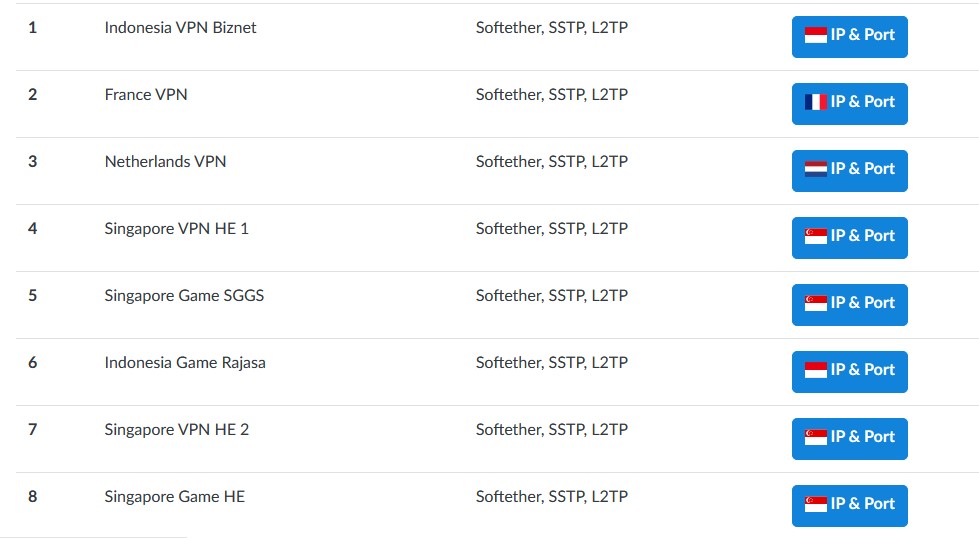
For example, the admin will create an Indonesian server.
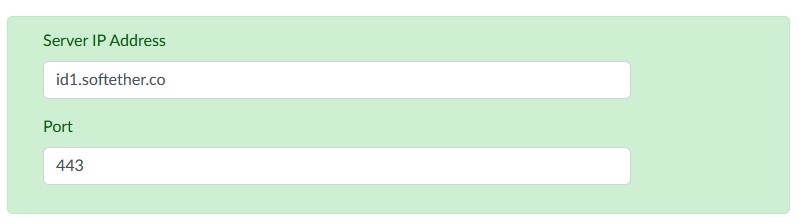
Softether account creation has been completed now we continue to how to use it.
Download and Setting Softether Application.
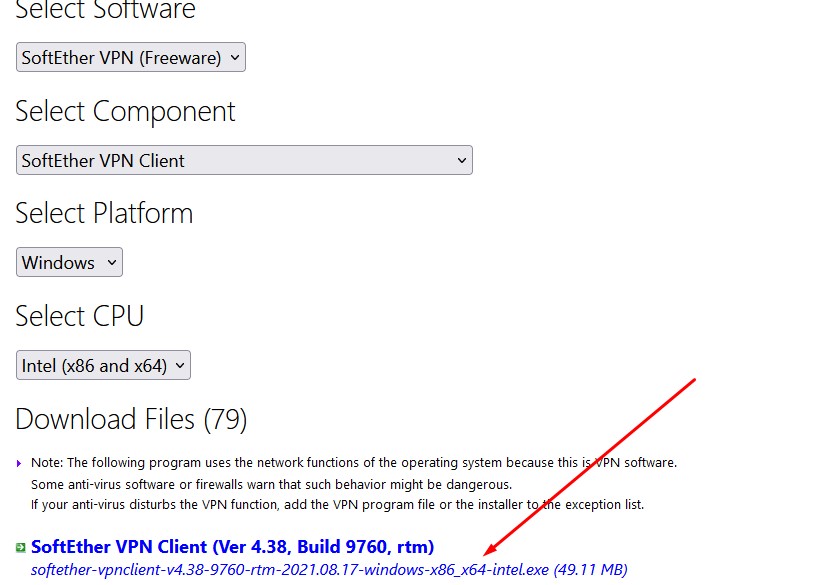
Please download the Softether application via the official website or via the link below.
Choose like the following image then download.
Install until complete and enter the softether account that was created earlier in this way.
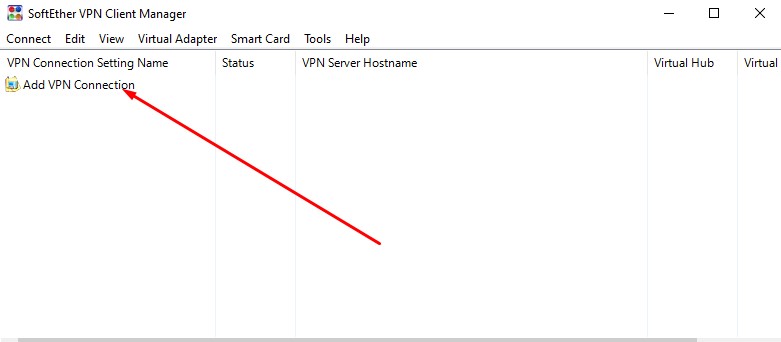
Open the softether application then click Add VPN.
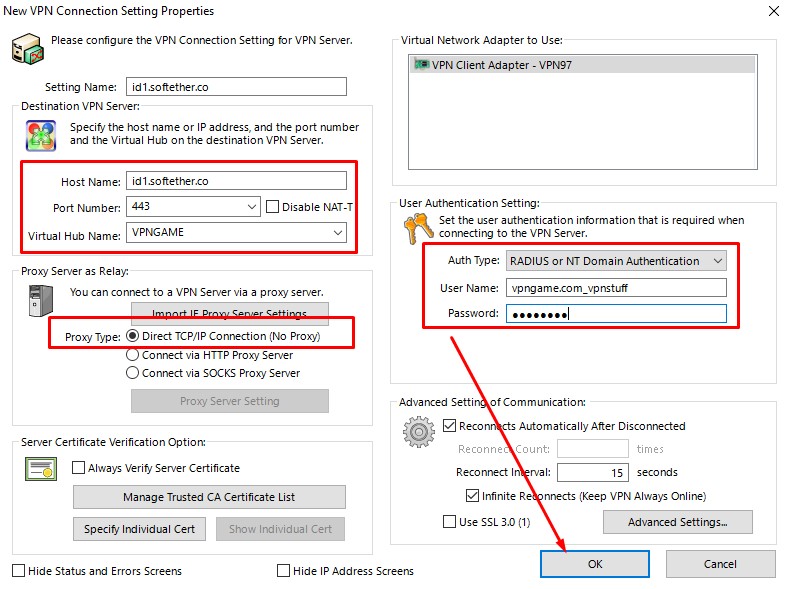
Enter the Host, Port Username and Password of the softether account.
See the picture below. For the virtual hub, you can fill in with VPNGAME and select Radius or NT in the username and password form.
Softether connection by right-clicking and selecting connect or just double-clicking directly.
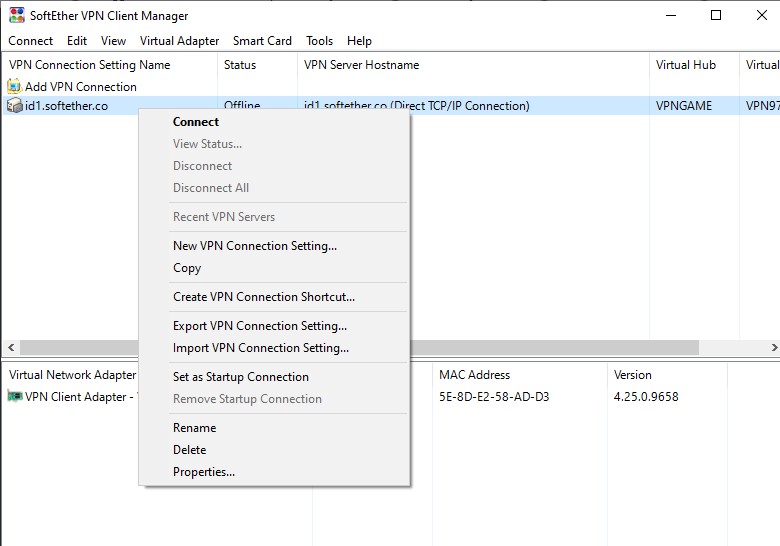
DONE. Now you can use softether.